Letting the Module Manage the Database Connection
Tamaki MES needs certain driver-level Extra Connection Properties on the Ignition database connection it uses. The Allow Module to Manage Datasource setting, found at Config → Tamaki MES → Settings, directly below MES Database Connection, lets the module add them for you.
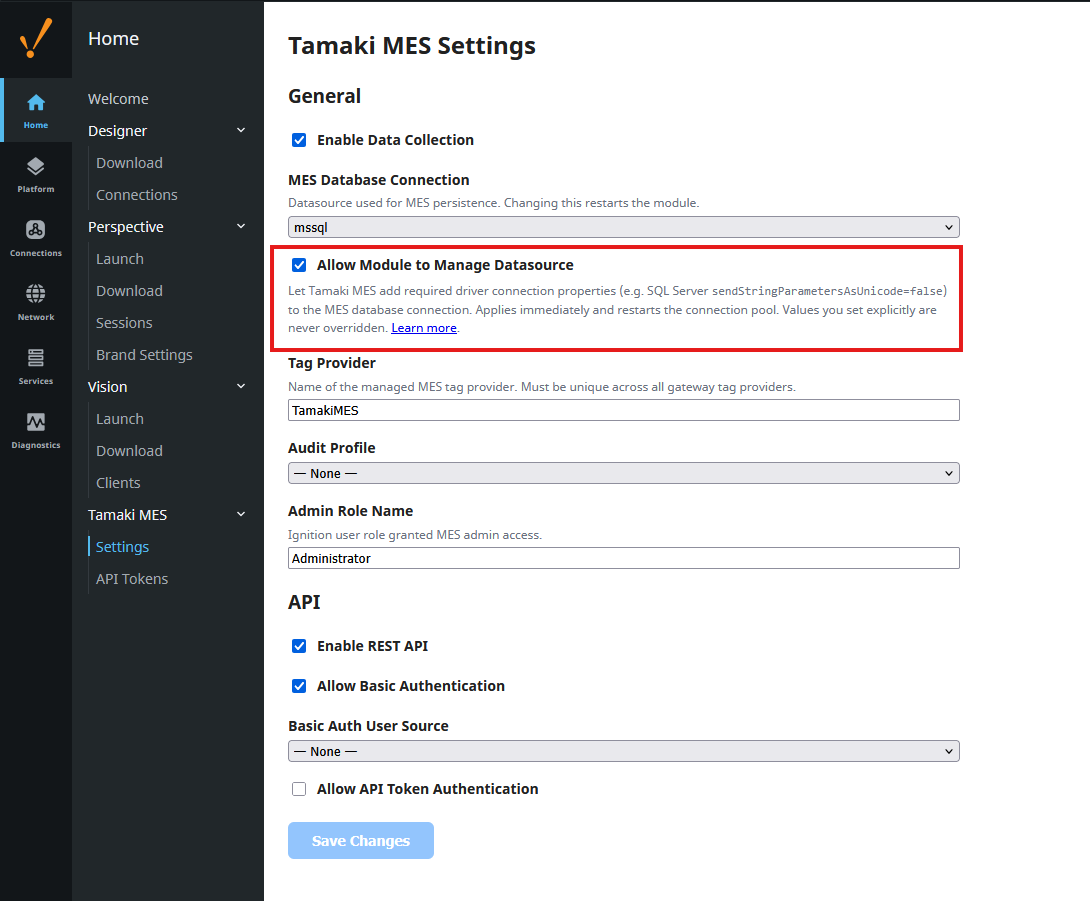
The setting is off by default: the module never modifies your database connection unless you opt in. We recommend enabling it, especially on Microsoft SQL Server.
Why we recommend it
On SQL Server, the Microsoft JDBC driver sends string parameters as nvarchar by default, while
Tamaki MES key columns are varchar. Under SQL Server collations the resulting implicit
conversion prevents index seeks, so every keyed UPDATE scans an entire index under update locks -
at scale this causes severe lock contention and recurring deadlocks. Adding
sendStringParametersAsUnicode=false to the connection restores index seeks and is the
documented fix.
With the setting enabled, the module takes care of this (and any other property a database vendor requires) so it cannot be missed during commissioning or lost when a connection is recreated.
The property changes driver behavior for everything sharing that database connection -
string values written to nvarchar columns by other consumers lose characters outside the
database code page. For this reason we recommend a database connection dedicated to Tamaki MES
(see Best Practices).
What happens when you enable it
- The required properties for your database vendor are merged into the datasource's Extra Connection Properties immediately when you save, and re-checked on every module startup and whenever you change the MES datasource while the setting is on.
- Only missing keys are added - exactly as if you had typed them into the gateway's database connection page and pressed Save.
- Applying a change restarts the database connection pool, so expect a brief interruption for everything using that connection.
- On SQL Server the module then verifies against the live database that string parameters really
arrive as
varcharand logs the result:Verified: datasource '<your-connection>' sends string parameters as varchar.
What it never does
- It never overrides a value you set explicitly. If you configured
sendStringParametersAsUnicode=trueyourself, the module keeps your value and logs a warning instead. - It never removes properties. Turning the setting off later stops the module from managing the connection but leaves already-added properties in place - remove them manually from the datasource's Extra Connection Properties if you no longer want them.
- On redundant gateways, only the master node applies changes; the configuration synchronizes to the backup automatically.
When it is off (the default)
The module never touches the database connection. At startup it still performs a read-only check and, if required properties are missing, logs a warning naming this setting and what is missing, so the gap is visible. To resolve the warning, either enable Allow Module to Manage Datasource (recommended) or add the listed properties to the datasource's Extra Connection Properties yourself.
Vendor property reference
Which properties the module treats as required for each database vendor comes from the module's
config.properties (db.extra_connection_properties.<vendor>), so they can be extended or
blanked per installation - see the
Db properties in the
properties guide.