States
Navigation: OEE → OEE Configuration → States
Description:
- The States tab defines the operational States a location can be in (for example Running, Downtime, or Starved) and maps each to a PLC state code. The State Expression on the OEE Configuration tab resolves to one of these codes to determine the location's current state.
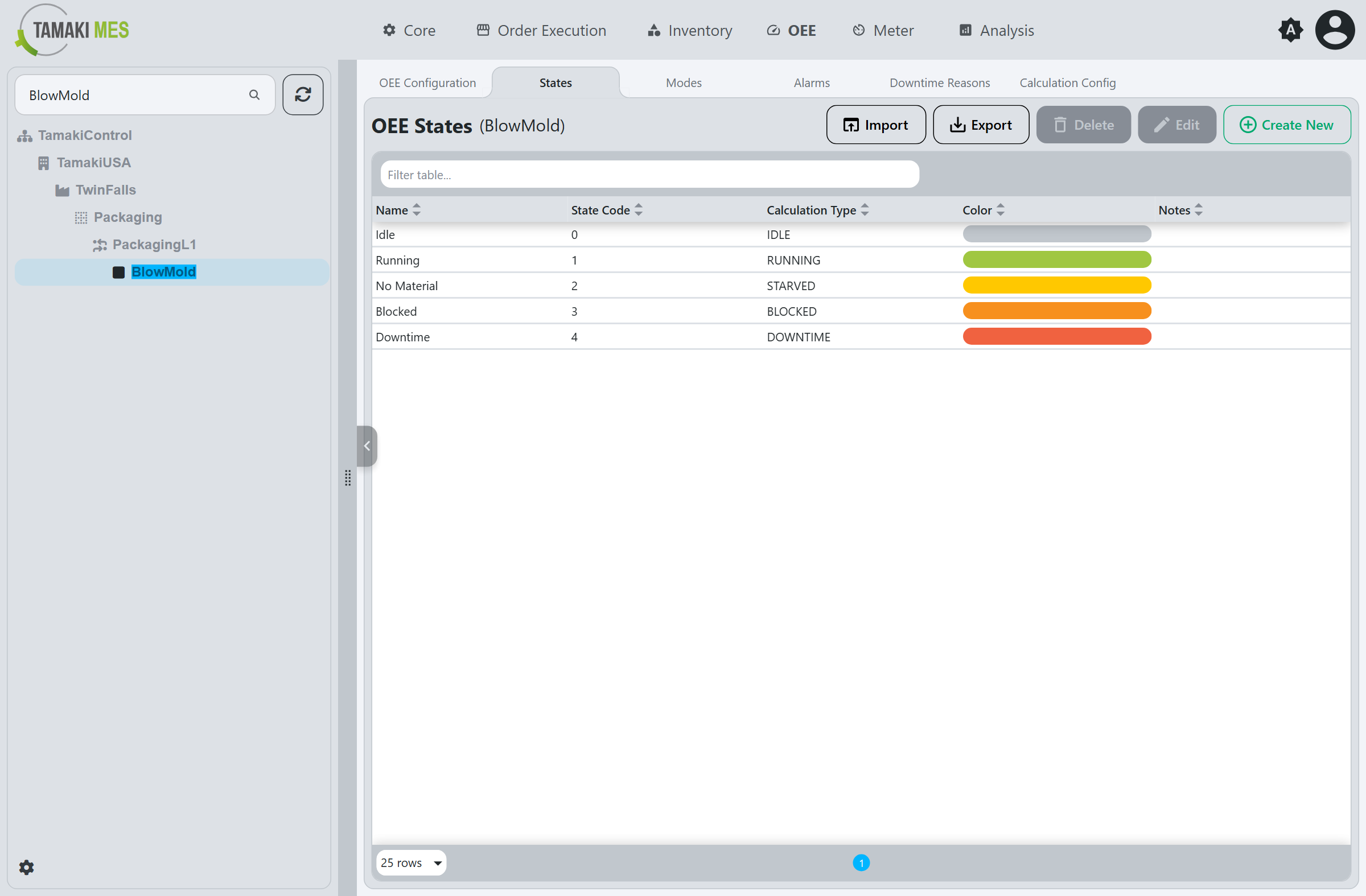
The table lists the states configured for the selected location, showing the Name, State Code, Calculation Type, Color, and Notes of each.
Workflow
Create a State
- Click
Create New. - Fill out the fields in the popup (see State Fields).
- Click
Confirm.
Edit a State
- Select a state in the table.
- Click
Edit. - Modify the fields in the popup (see State Fields).
- Click
Confirm.
The Delete button removes the selected state. Import and Export move states to and from a CSV or
JSON file.
State Fields
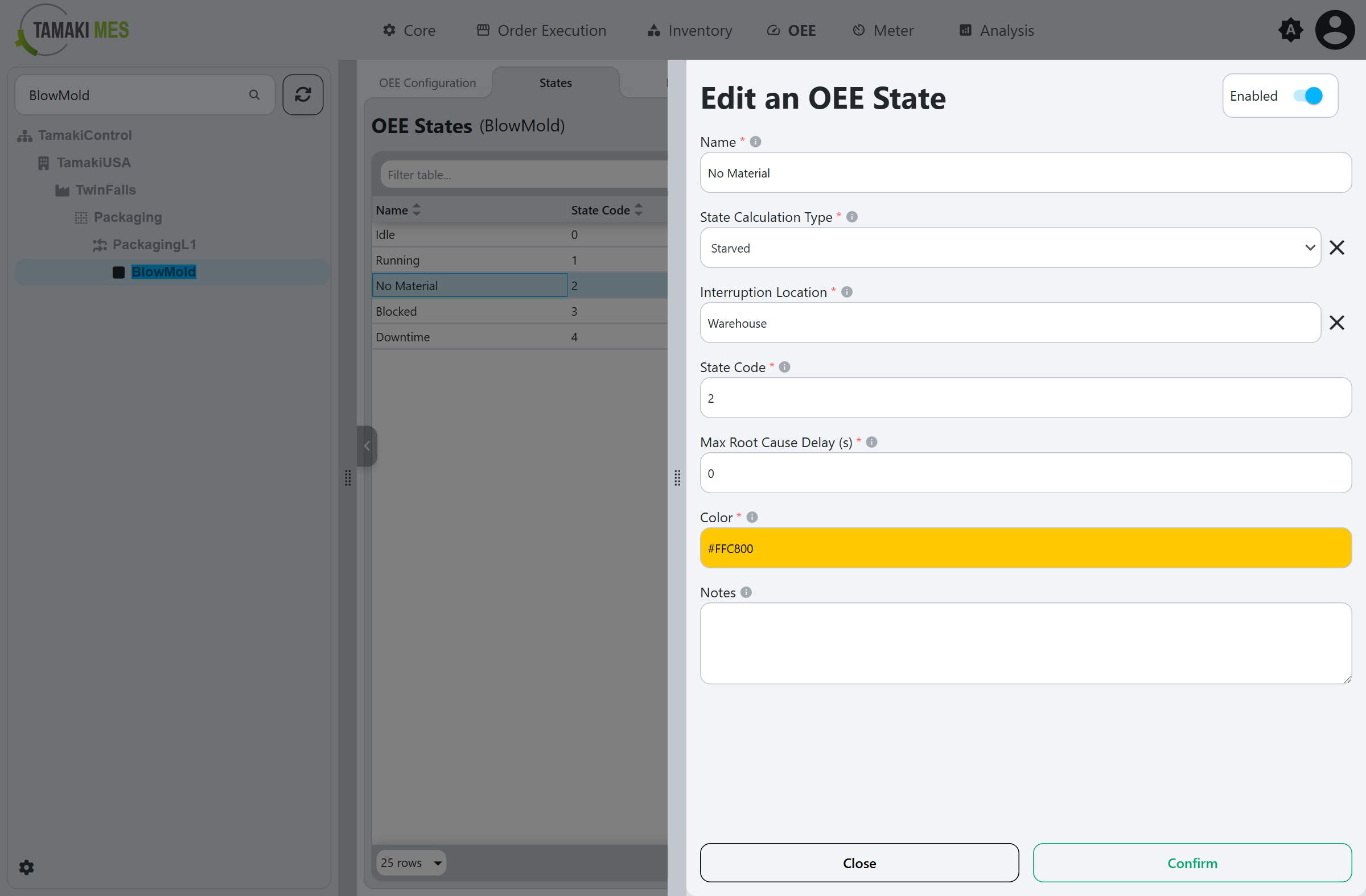
Enabled
Toggles the state on or off.
Name
A descriptive name for the state (for example Running, Downtime, or No Material).
State Calculation Type
Determines how time in this state is counted towards the OEE calculation:
- Idle: The location is not running or producing. Unlike Downtime, idle time is not recorded as a stoppage - it carries no downtime reason and is excluded from downtime-reason analysis - so use it for non-running time that should not be counted as a downtime event.
- Running: The location is actively producing. This time counts as running time.
- Downtime: The location is not producing due to a planned or unplanned downtime event.
- Starved: The location is not producing because it is waiting for input from an upstream location.
- Blocked: The location is not producing because a downstream location cannot accept its output.
Interruption Location
Shown for Starved and Blocked states. The neighbouring location responsible for the interruption,
used for line bottleneck (root-cause) analysis:
- For a Starved state, the interruption location is the location directly upstream (it is not supplying what this location needs to run).
- For a Blocked state, the interruption location is the location directly downstream (it is not accepting this location's output).
Max Root Cause Delay (s)
Shown for Starved and Blocked states. The maximum number of seconds to look back at the
interruption location when attributing the root cause of this location's stoppage. Defaults to 0.
State Code
The integer code for the state, matching the value the PLC reports for this state. Must be unique per location.
Color
The color used to represent the state in timelines and charts, such as the OEE State Timeline.
Notes
Optional comments about the state.