Alarms
Navigation: OEE → OEE Configuration → Alarms
Description:
- The Alarms tab defines which Ignition alarms Tamaki MES watches for a location and uses to enrich its State records. When a location is in a downtime state, the MES can associate a primary alarm with the state record, and can optionally read a downtime reason code or state code from the alarm. This gives operators and analysts the specific alarm that best explains a stoppage.
- A location can have any number of alarms. Which active alarm becomes the primary alarm for a state record is controlled by the Primary Alarm Resolution Strategy and Primary Alarm Maximum Delay on the OEE Configuration tab.
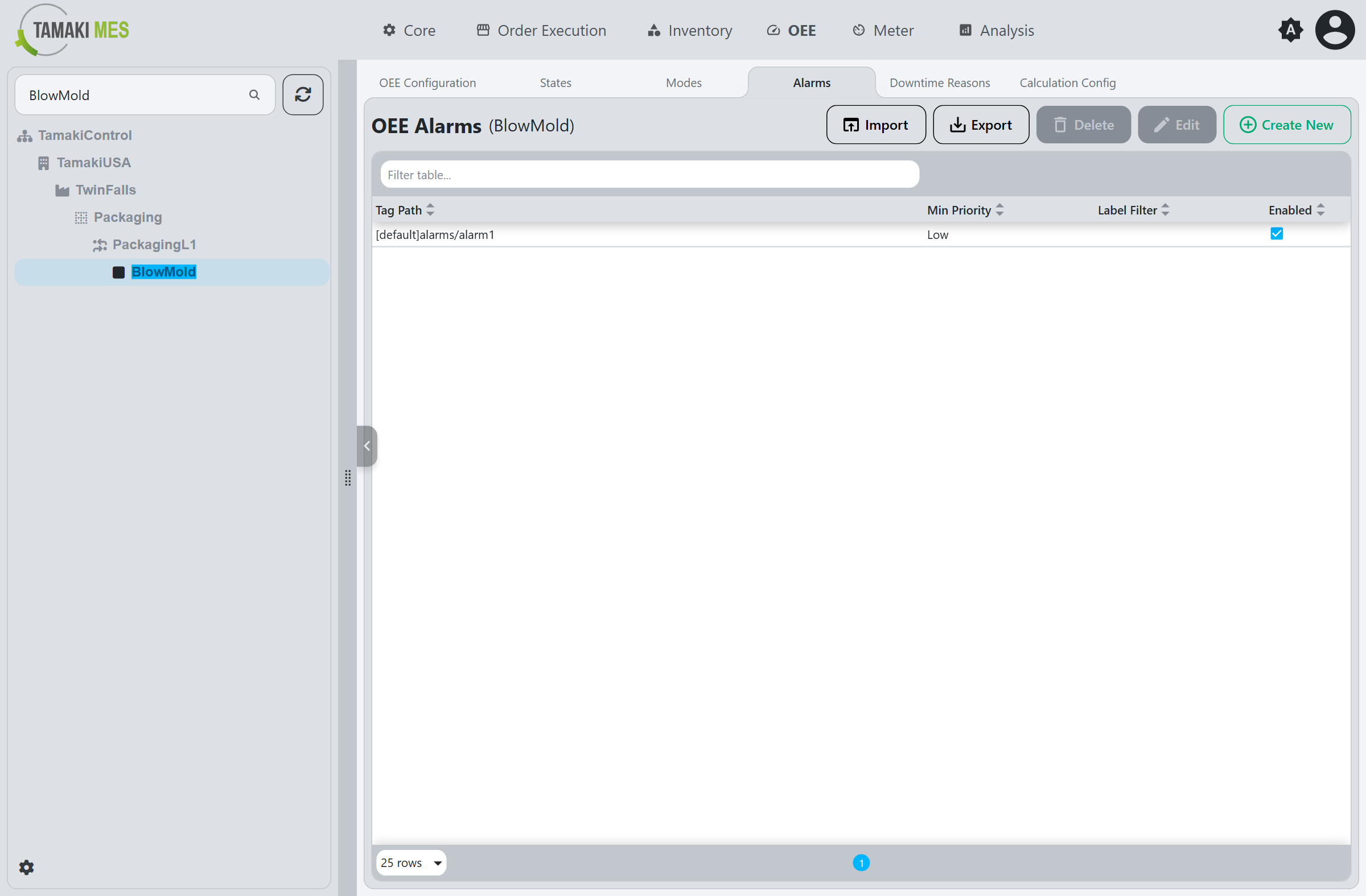
The table lists the alarms configured for the selected location, showing the Tag Path,
Min Priority, Label Filter, and Enabled status of each. Use Create New to add one, Edit
to modify the selected row, and Delete to remove it. Import and Export move alarms to and
from a CSV or JSON file.
Alarm Fields
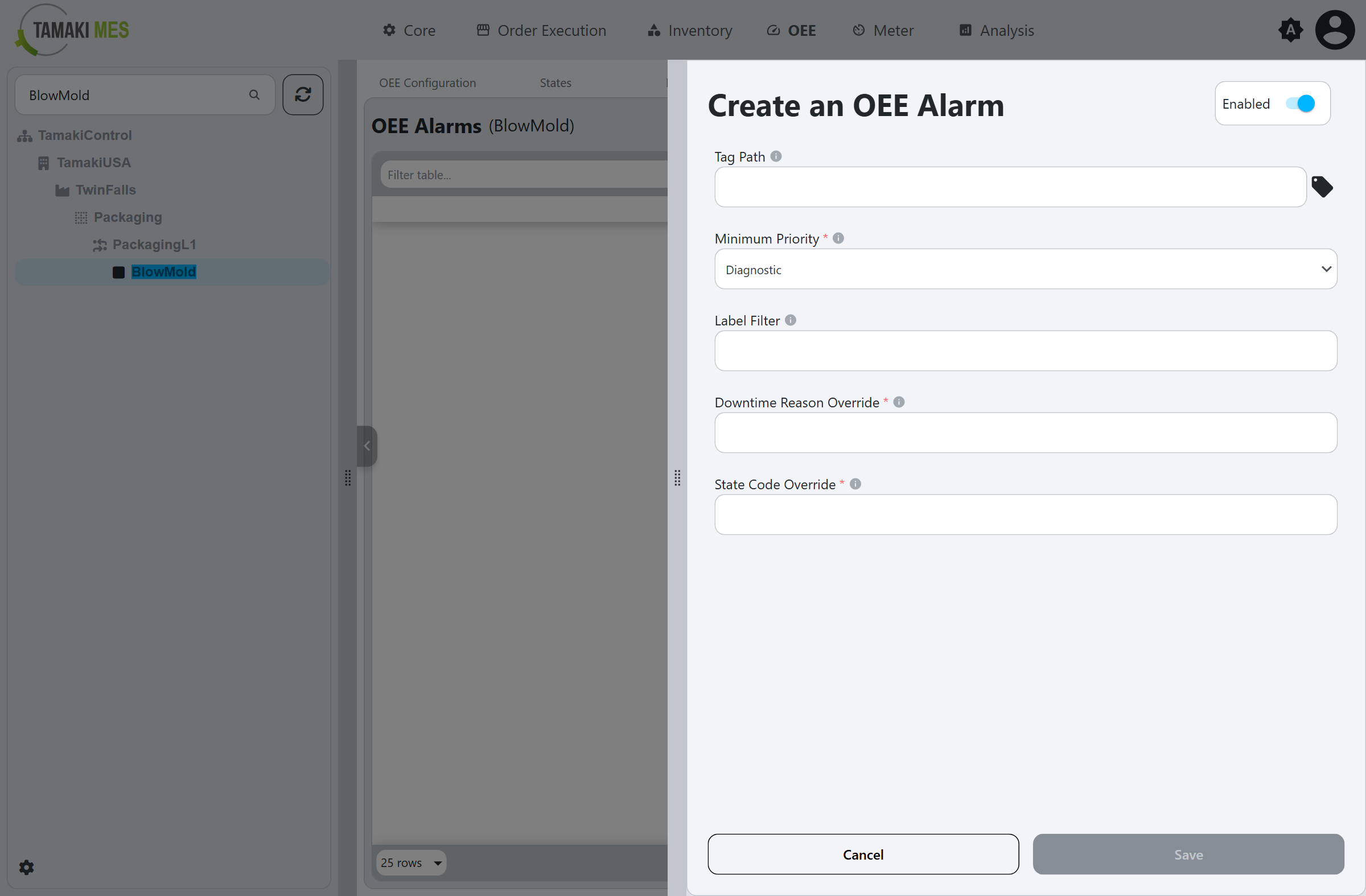
Enabled
Toggles the alarm on or off.
Tag Path
The tag path whose alarms are watched. Any alarm configured on or under this path is captured and associated with the location. Use the tag-selector button to browse and select a path.
Minimum Priority
Only alarms at or above this priority are captured. Priorities, from lowest to highest, are
Diagnostic, Low, Medium, High, and Critical.
Label Filter
An optional filter on the alarm's display path or label. When set, only alarms whose label matches are captured, letting you narrow a broad tag path to specific alarms.
Downtime Reason Override
The name of an alarm associated-data property that supplies a Downtime Reason code. When a captured alarm carries this property, its value is used as the downtime reason for the associated state record.
State Code Override
The name of an alarm associated-data property that supplies a State code. When a captured alarm carries this property, its value is used to set the state of the associated state record.