OEE Configuration
Navigation: OEE → OEE Configuration
Description:
- The OEE Configuration tab defines how Tamaki MES tracks Overall Equipment Effectiveness for a single location. It is where you bind the location's PLC tags (via Expression Fields) to the OEE model and enable the Availability, Performance, and Quality components.
How to use:
- Select a location from the location tree on the left. The configuration for that location loads on
the right. If the location has no configuration yet, use
Importor fill out the form and clickConfirmto create one.
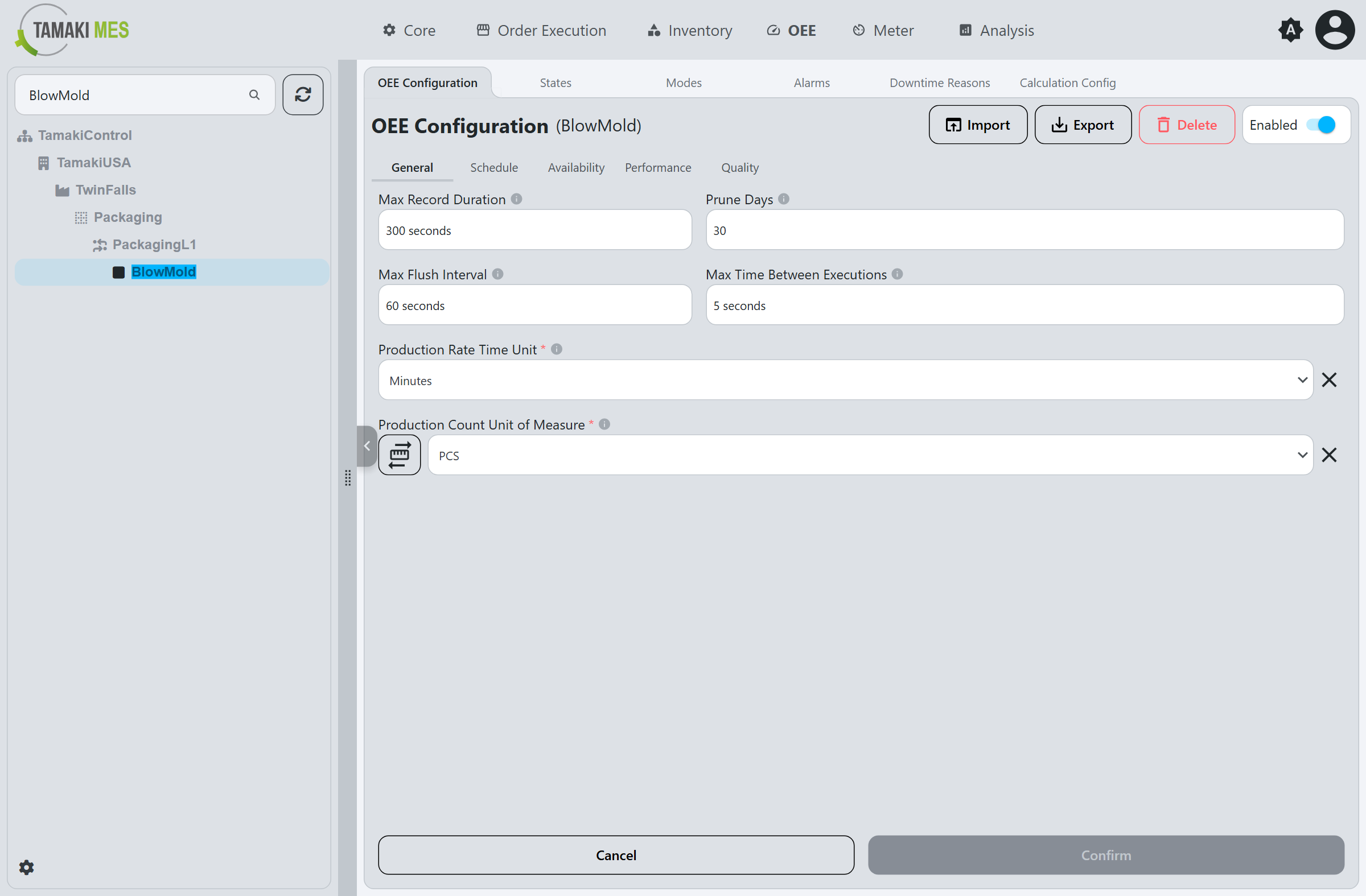
Header Controls
| Control | Description |
|---|---|
| Enabled | Toggles OEE tracking for the selected location on or off. |
| Import | Imports OEE configurations from a CSV or JSON file. The file should match the format produced by Export. |
| Export | Exports the selected location's OEE configuration to a CSV or JSON file, useful for backups or transferring between instances. |
| Delete | Deletes the OEE configuration for the selected location. Existing OEE records at the location are not affected and remain. |
| Confirm / Cancel | Saves or discards the changes made to the form. |
The form is divided into five sub-tabs: General, Schedule, Availability, Performance, and Quality.
General
The General tab holds the engine and data-collection settings along with the units used across the configuration.
Max Record Duration
Maximum duration, in seconds, for a single OEE record. Normally an OEE record cuts over to the next record when one of the following changes at the location:
- OEE Mode change.
- Standard rate change.
- Production order change.
If none of those events occur within the Max Record Duration, the record cuts over automatically. This controls the granularity of the records. Changing this value does not affect existing records; it applies to new records created after the change.
Prune Days
Number of days to retain OEE records in the database before they are deleted. Leave blank to keep records indefinitely.
Max Flush Interval
Maximum time, in seconds, before collected OEE data is flushed from the data collection service into the database.
Max Time Between Executions
Maximum number of seconds between data collection evaluation cycles.
Production Rate Time Unit
The time unit used for the production rate: Seconds, Minutes, or Hours. Combined with the
Production Count Unit of Measure, it defines how the
Standard Rate is expressed. For example, a Production Count
Unit of Measure of Pound with a Production Rate Time Unit of Minutes yields a rate in
Pounds per Minute.
Production Count Unit of Measure
The unit of measure for the Production Count, such as
pieces (PCS), kilograms, or liters.
Schedule
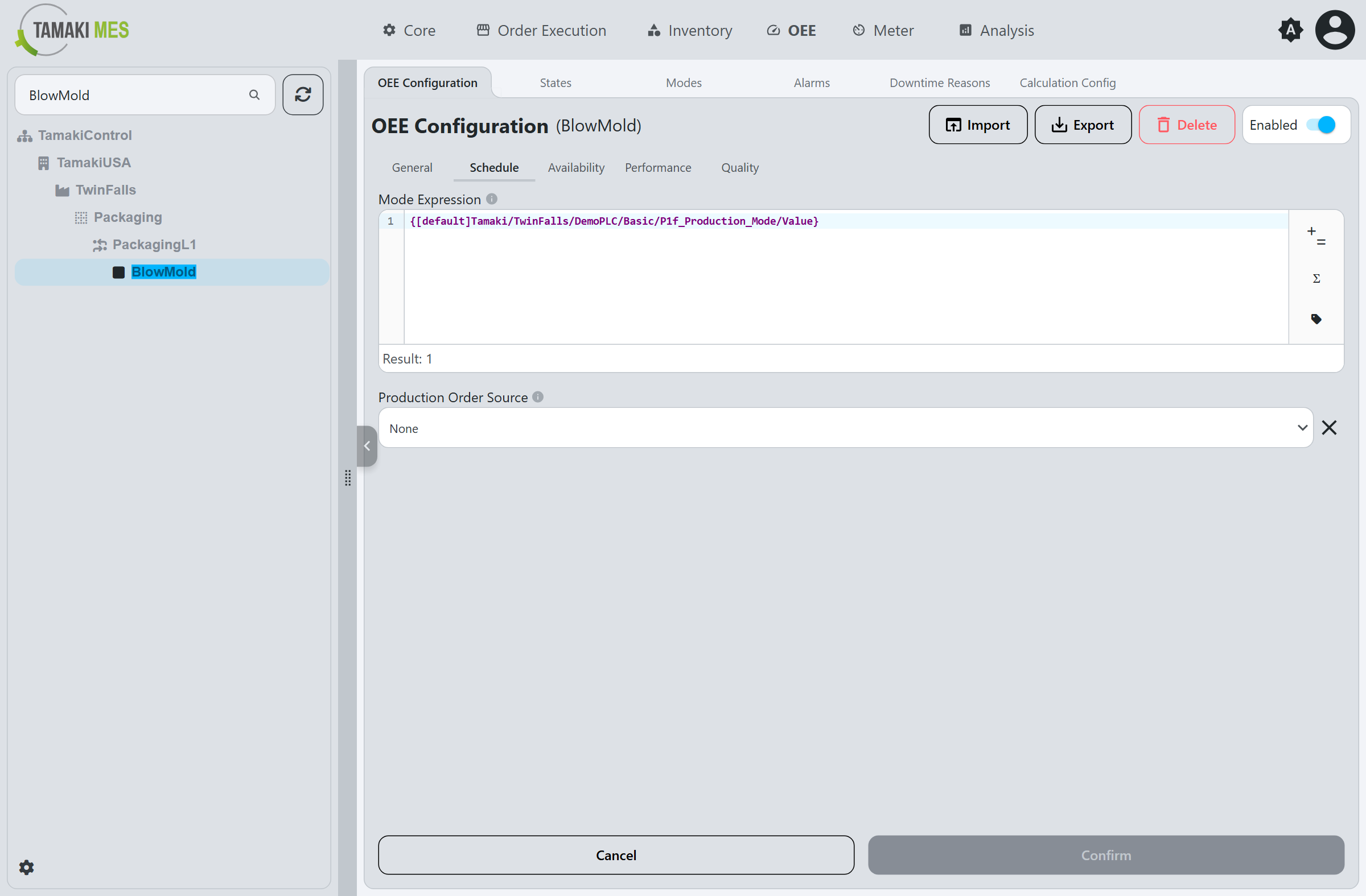
Mode Expression
An Expression Field that evaluates to an integer matching a Mode code. This binds the location's operating mode to the OEE model, and is most commonly a tag binding that reflects the PLC's current mode value.
Production Order Source
Determines whether a Production Order is tracked for the location:
- None: No production order is tracked for the location.
- Expression: The production order is resolved from the Production Order Expression field.
Production Order Expression
Shown when the Production Order Source is Expression. An Expression Field
that evaluates to the name or id of the production order currently running at the location, most
commonly a tag binding.
Availability
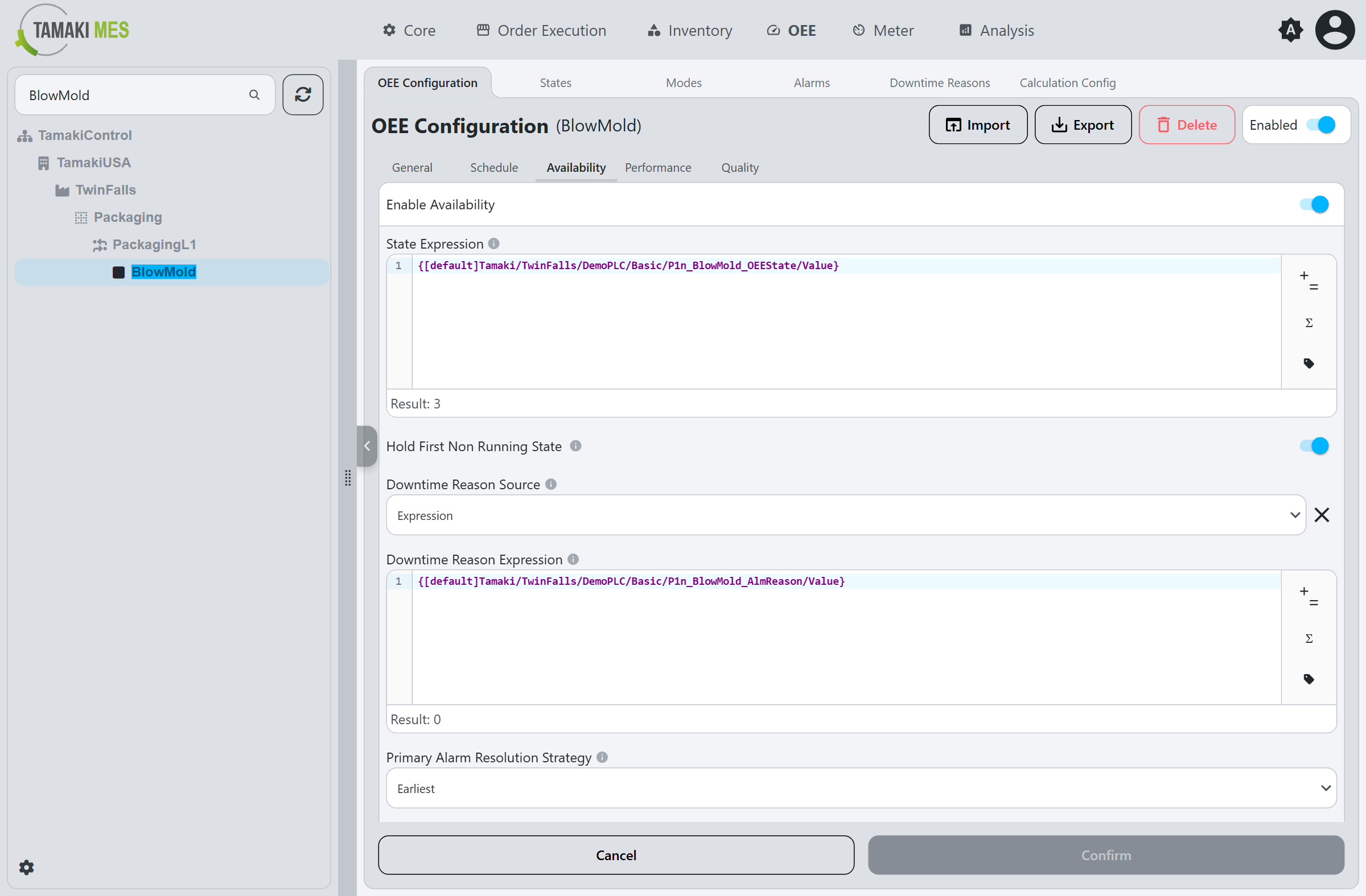
Enable Availability
Enables availability tracking. This lets the system track when the location is running and when it is not, providing insight into equipment utilization.
State Expression
An Expression Field that evaluates to a State code (the machine's status as an integer). This is usually a tag binding that reflects the PLC's state value.
Hold First Non Running State
When enabled, the OEE record does not cut over when the location transitions directly from one non-running state to another non-running state. The first non-running state detected at the start of a stoppage is held for the duration of that stoppage. This prevents a single stop from being fragmented into multiple records when the state value flickers among non-running values. When disabled, every state change creates a new record.
Downtime Reason Source
Determines how a downtime reason is assigned to a downtime state record:
- Manual: The downtime reason is selected by an operator on the Downtime Entry page.
- Expression: The downtime reason is resolved from the Downtime Reason Expression field.
Downtime Reason Expression
Shown when the Downtime Reason Source is Expression. An Expression Field
that evaluates to a Downtime Reason fault code, most commonly
a tag binding that reflects the PLC's current fault code.
Primary Alarm Resolution Strategy
Controls which alarm is chosen as the primary alarm for a state record when more than one OEE Alarm is active:
- Earliest: The alarm that became active earliest is used.
- Highest Priority: The alarm with the highest priority is used.
Primary Alarm Maximum Delay
The maximum number of seconds after a state record begins during which an alarm may still be associated
as that record's primary alarm. Defaults to 0.
Performance
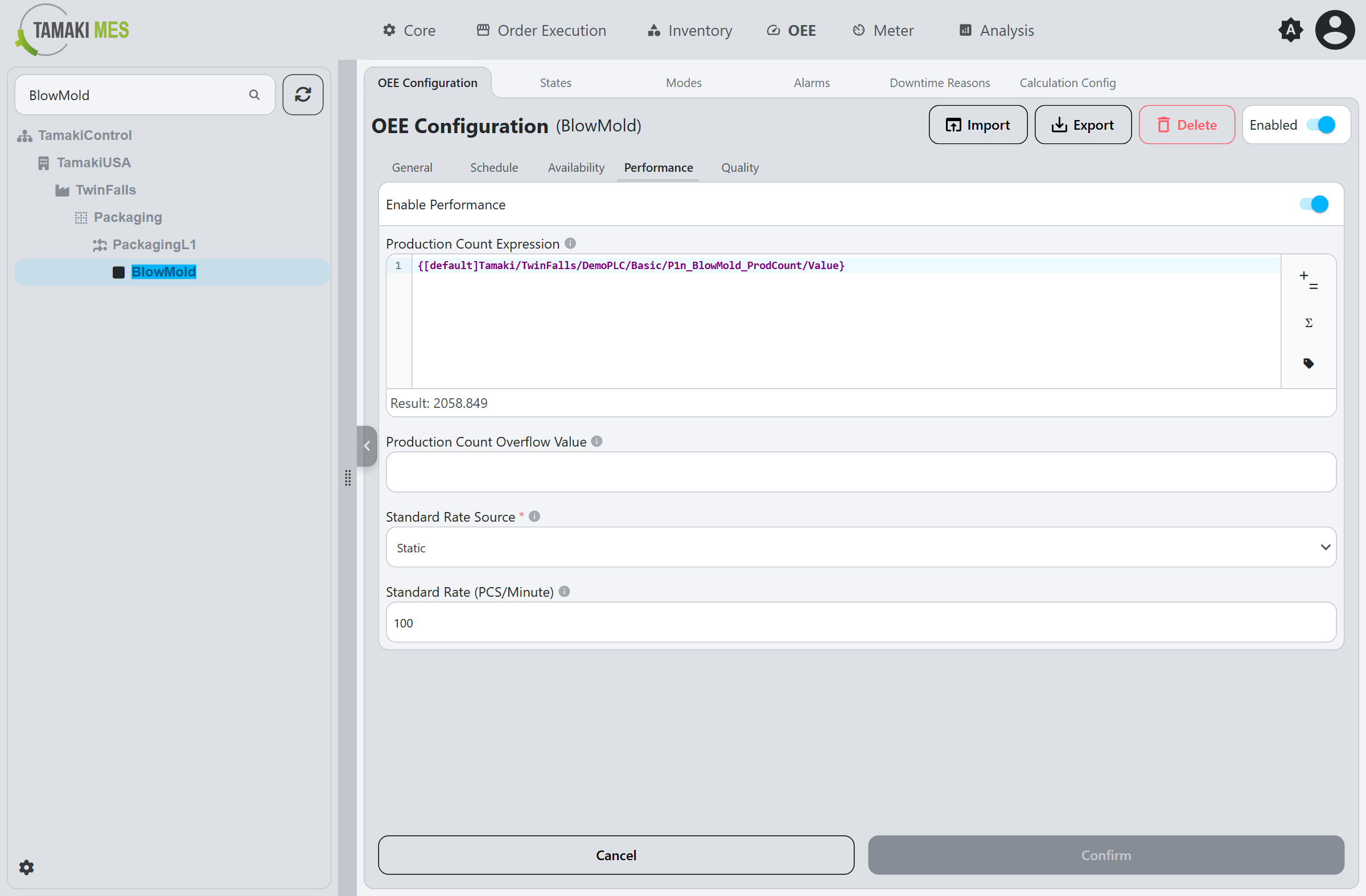
Enable Performance
Enables performance tracking, allowing the system to track the production count and rate of the location.
Production Count Expression
An Expression Field that evaluates to the location's Production Count, most commonly a tag binding that reflects the PLC's current production count.
Production Count Overflow Value
The value at which the production count tag rolls over to 0. This is used to correctly calculate the
production count across a rollover.
Standard Rate Source
Determines how the Standard Rate is provided:
- Static: The standard rate is a fixed value set in the Standard Rate field.
- Expression: The standard rate is resolved from the Standard Rate Expression field.
Standard Rate
Shown when the Standard Rate Source is Static. The fixed standard rate for the location, expressed in
the Production Count Unit of Measure per
Production Rate Time Unit (for example, PCS/Minute). This is the
baseline against which the Performance component is measured.
Standard Rate Expression
Shown when the Standard Rate Source is Expression. An Expression Field
that evaluates to the standard rate for the product currently running at the location.
Quality
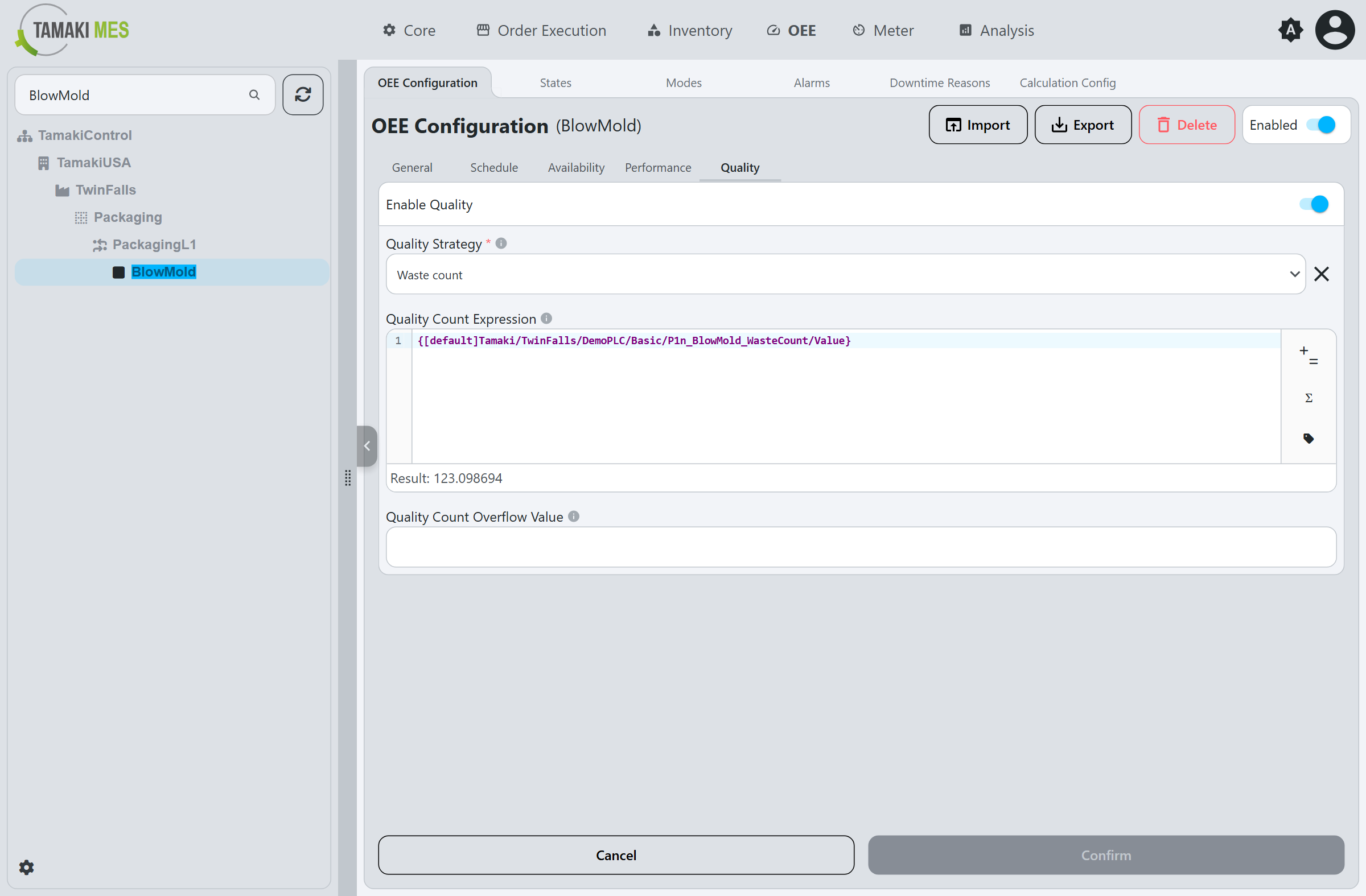
Enable Quality
Enables quality tracking, allowing the system to track the good or waste count of the location.
Quality Strategy
Determines what the Quality Count Expression represents:
- Good count: The expression is evaluated as the count of good units produced.
- Waste count: The expression is evaluated as the count of waste (reject) units produced.
Quality Count Expression
An Expression Field that evaluates to the location's Good Count or Waste Count, depending on the Quality Strategy. Most commonly a tag binding.
Quality Count Overflow Value
The value at which the quality count tag rolls over to 0. This is used to correctly calculate the
count across a rollover.