Modes
Navigation: OEE → OEE Configuration → Modes
Description:
- The Modes tab defines the operating Modes a location can be in (for example Production, CIP, or Maintenance) and maps each to a PLC mode code. Modes classify time as scheduled or unscheduled, which drives the Utilization and TEEP metrics. The Mode Expression on the OEE Configuration tab resolves to one of these codes to determine the location's current mode.
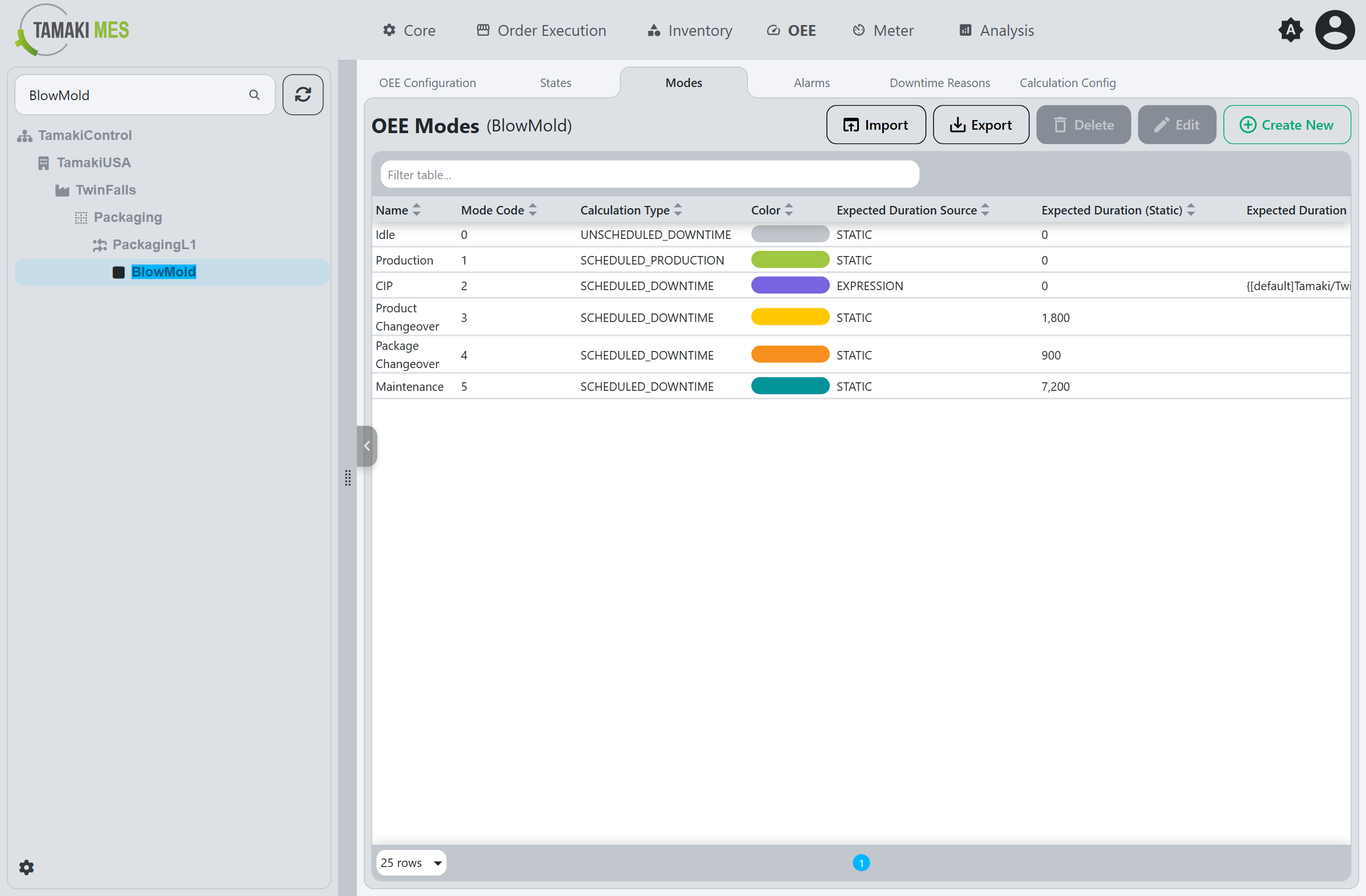
The table lists the modes configured for the selected location, showing the Name, Mode Code, Calculation Type, Color, Expected Duration Source, Expected Duration (Static), and Expected Duration Expression of each.
Workflow
Create a Mode
- Click
Create New. - Fill out the fields in the popup (see Mode Fields).
- Click
Confirm.
Edit a Mode
- Select a mode in the table.
- Click
Edit. - Modify the fields in the popup (see Mode Fields).
- Click
Confirm.
The Delete button removes the selected mode. Import and Export move modes to and from a CSV or
JSON file.
Mode Fields
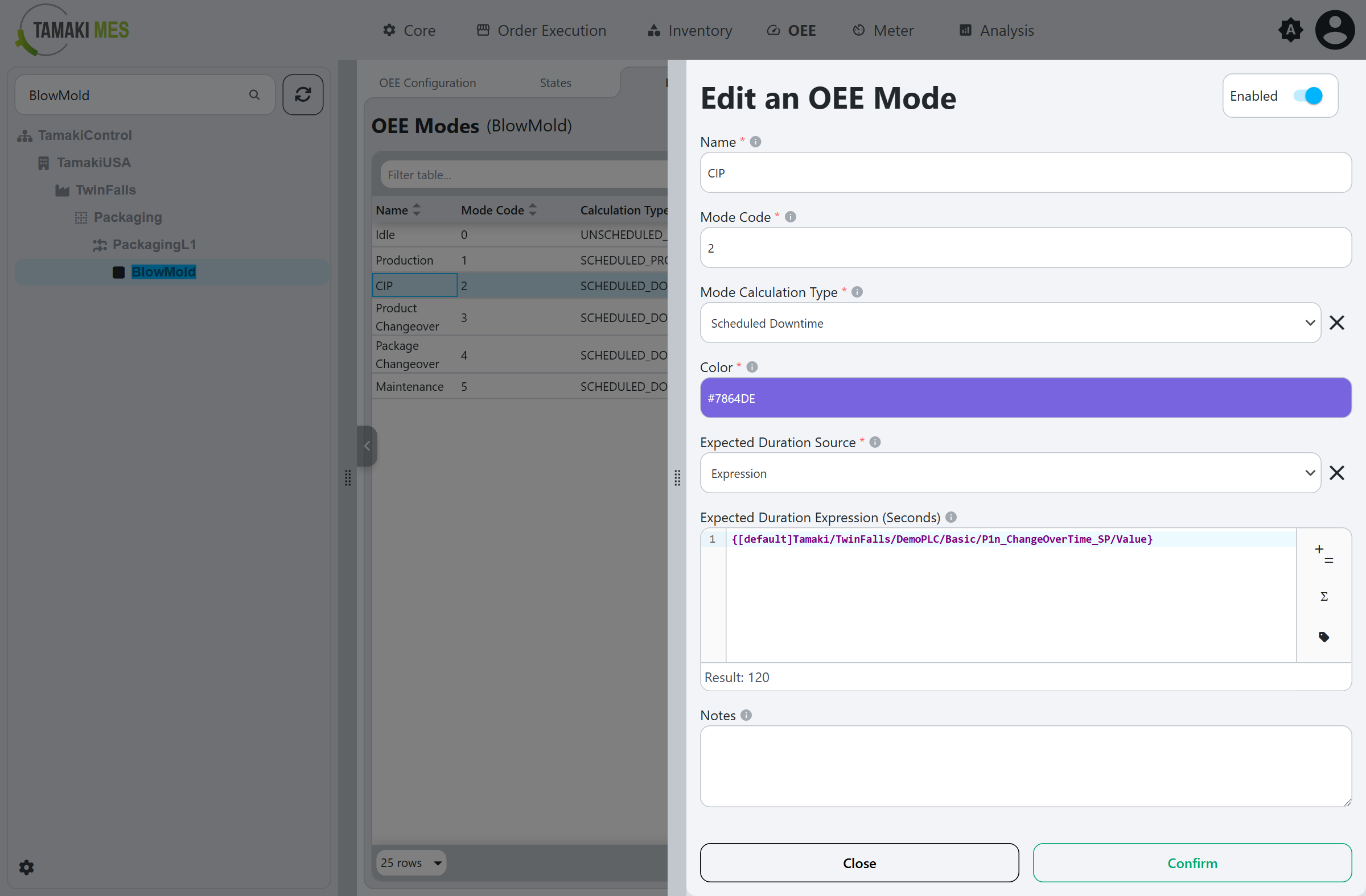
Enabled
Toggles the mode on or off.
Name
A descriptive name for the mode (for example Production, Product Changeover, or Maintenance).
Mode Code
The integer code for the mode, matching the value the PLC reports for this mode. Must be unique per location.
Mode Calculation Type
Determines how time in this mode is classified:
- Scheduled Production: The location is scheduled to produce.
- Scheduled Downtime: Planned non-production time, such as maintenance or a changeover.
- Unscheduled Downtime: The location is not planned to be producing and the time is not a planned downtime event (for example idle time between production runs).
Color
The color used to represent the mode in timelines and charts.
Expected Duration Source
Determines how the mode's expected duration is provided:
- Static: A fixed value set in the Expected Duration field.
- Expression: Resolved from the Expected Duration Expression field.
Expected Duration (Seconds)
Shown when the Expected Duration Source is Static. The fixed expected duration of the mode, in
seconds. Useful for planning and for flagging modes that run longer than expected.
Expected Duration Expression (Seconds)
Shown when the Expected Duration Source is Expression. An Expression Field
that evaluates to the expected duration of the mode in seconds, allowing it to be calculated from
real-time data.
Notes
Optional comments about the mode. These are automatically copied into any mode records as template notes.